10,000 listings.
Your shortlist.
The desktop tool for the deciding phase of house hunting: sieve, compare, shortlist. It works inside Rightmove and OnTheMarket, filtering by what actually matters to you, flagging price drops and relistings, and remembering every home you've already judged.
PropertySieve is a Chrome extension for your computer (Windows, Mac or Linux). Phones can’t run browser extensions, so send yourself the link and install it on your laptop or desktop.
How far from the people and places that matter?
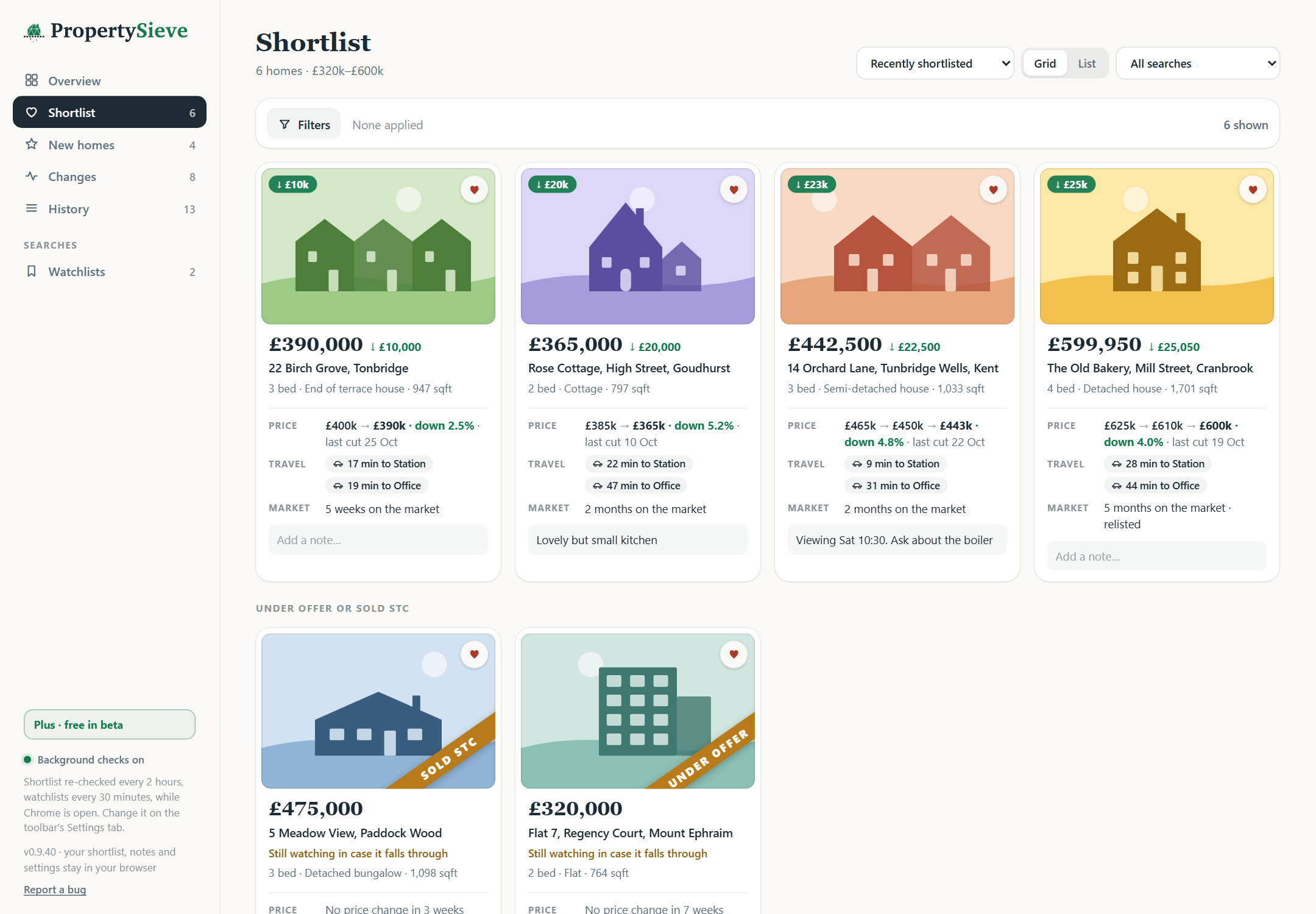
Save up to three destinations, like work, family or the school run, and every listing measures itself against your life.
Drive times on the card
Add a free OpenRouteService key in Settings and real road-route times appear right in the buttons, so you can sort and compare homes by the journeys you'll actually make.
One-click directions
Every result card and property page gets a button per saved place. Click it and Google Maps opens with the house as the start point and your destination filled in, so journey time is the first thing you see. No key needed.
Too far? Filtered out.
Give any journey a maximum, say 30 minutes to Mum's and 45 to work, and anything over the limit is ruled out like any other deal-breaker, counted in the hidden total with the reason on hover.
Rightmove shows you everything.
PropertySieve shows you what’s worth your time.
It works on the Rightmove and OnTheMarket pages you already use, with no account.
Caught relisting
A relisted home can look brand new. We show when it really first went on sale, and at what price. The most useful fact in a negotiation.
Keywords that actually filter
Tell it what you need and every home that doesn’t match is removed, with your dealbreakers ruled out on every search.
Page 12, brought to page 1
Every page of results is checked, so you see the real number of homes that fit, with the best matches first.
Every price, remembered
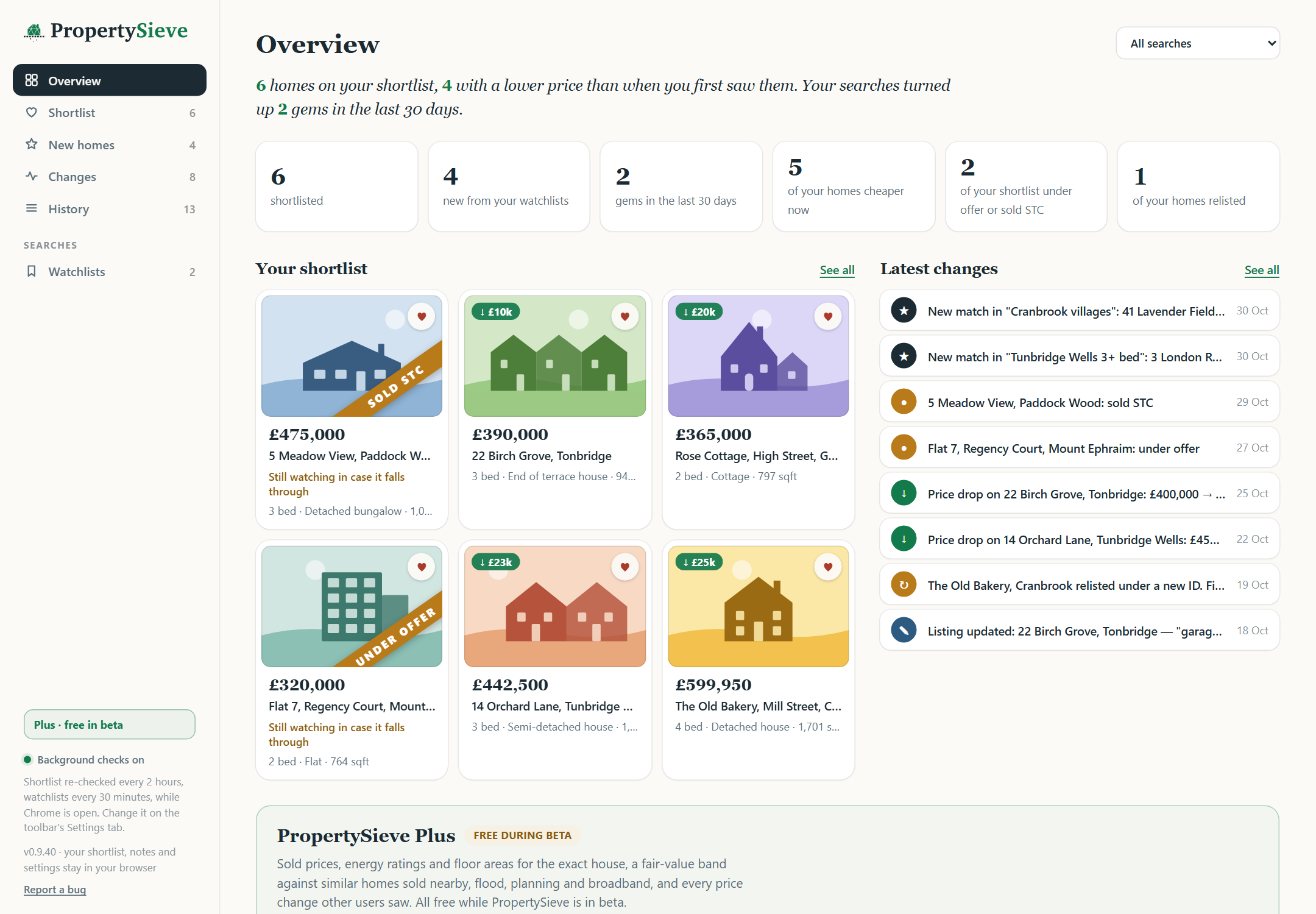
See every price a home has been, even the ones the listing has since dropped: £465k → £450k → £443k, down 4.8%.
Spot the catch early
Short leases, auctions, shared ownership and cash-only sales are flagged before you fall for them.
New homes come to you
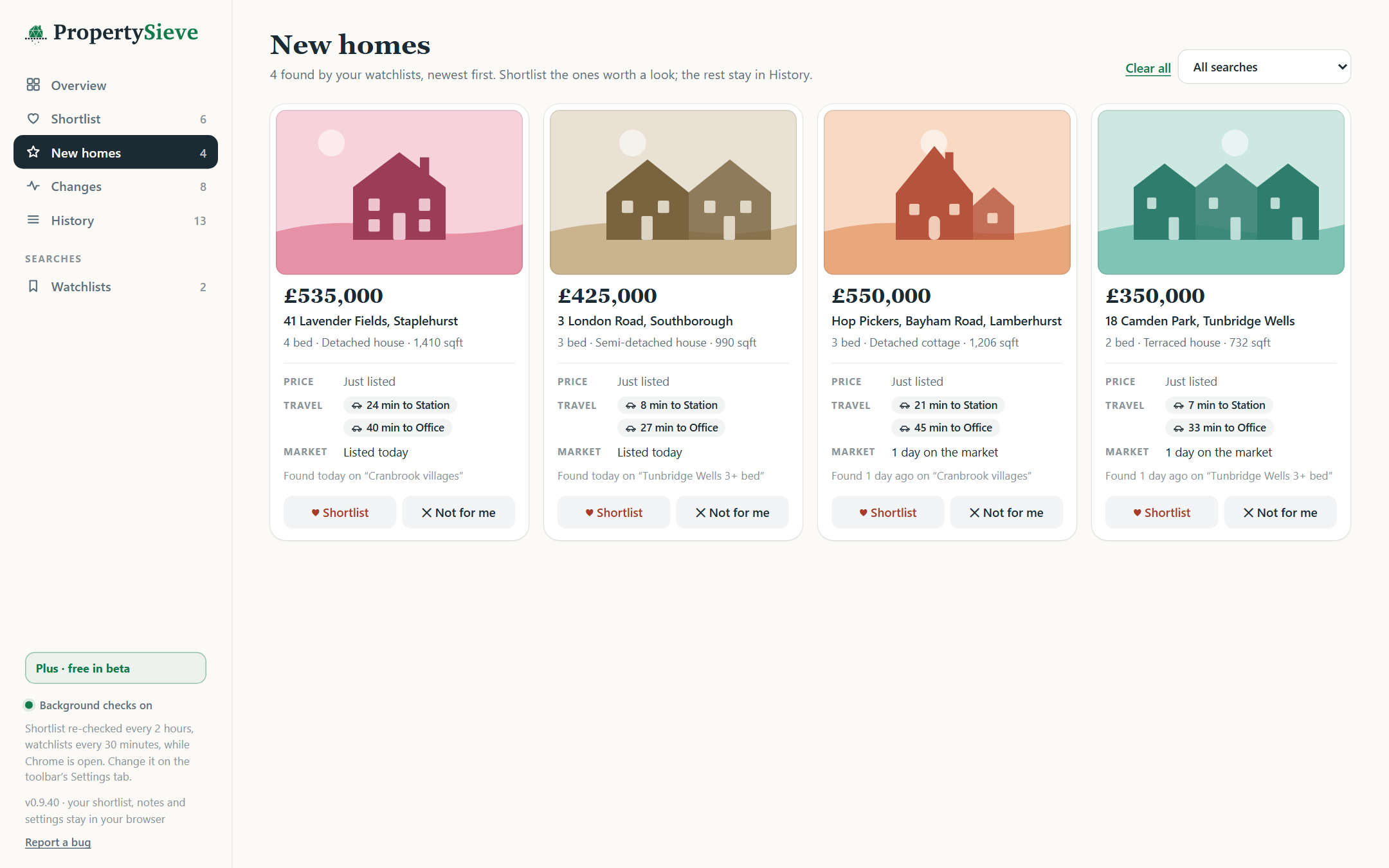
Save a search and new matches arrive as a notification, ready to keep or bin in one click.
Your search stays yours.
Your rules, shortlist and notes live in your own browser, ready the moment you open Rightmove, with nothing to sign up for. House facts (sold prices, energy certificates, flood and planning) come from public records, looked up for you without knowing who you are. Back it all up to a file whenever you like; it's yours.
Install in about a minute
Free, no account, and it works in Chrome, Edge, Brave or Arc on Windows, Mac, Linux and ChromeOS. Download it, load it into your browser in four short steps, and it starts on your next Rightmove search. A free phone companion app is coming soon.
Questions you should ask
What is PropertySieve?
A free Chrome extension for your computer that works inside Rightmove and OnTheMarket. It hides homes that don’t fit your rules across every page of results, remembers every home and every price you’ve seen, flags relisted homes and red flags such as short leases, and keeps an eye on your shortlist for you.
Is this… allowed?
PropertySieve is an independent, unofficial tool for personal use. It annotates pages you’re already browsing and is deliberately polite: spaced requests, early-stop scanning, opt-in background checks. It is not affiliated with or endorsed by any property portal.
Where does my data go?
Your shortlist, rules and notes stay in Chrome on your computer. To show house facts, the extension asks our server about a listing (its postcode, address and portal id, never anything about you), and price and status sightings are shared anonymously unless you switch that off. No accounts, no analytics. The full detail.
Do alerts work with Chrome closed?
Checks run while Chrome is open (even minimised, no tabs needed). If Chrome was closed, the next check catches up; new listings are detected by their listing number, not by timing.
Why is it free?
Everything that runs in your browser is free, for good: your rules, whole-search scans, your shortlist, notes and alerts. PropertySieve Plus adds what needs our data, such as sold prices, energy ratings and fair value for the exact house, and is free during the beta.